Landline Phone Alert System for Deaf People: Never Miss a Call Again

A landline phone alert system for deaf and hard-of-hearing people does one critical thing: it makes sure an incoming call reaches you - not just your phone's speaker. This guide explains exactly how a wrist-vibration phone alert works, what the Telephone Transmitter actually does, and why the Bellman system is one of the most reliable assistive listening solutions for staying connected at home.
A phone alert system for deaf people connects to your landline and triggers a vibrating wrist alert and app notification the moment the phone rings - so you never miss an important call regardless of where you are in your home. The Bellman Phone System with Bluetooth Bridge and Watch Receiver works this way: the Telephone Transmitter connects via RJ11 to your landline jack and detects the ring signal electrically, the Bluetooth Bridge converts and relays it, and the Watch Receiver vibrates with a clear phone icon on your wrist - simultaneously with a notification through the free Bellman Assistant app on your iOS or Android smartphone. No Wi-Fi required. No subscription needed.
The Problem With Missing Calls When You Have Hearing Loss
Missing a call is a minor inconvenience for most people - a voicemail to check, a number to call back. For deaf and hard-of-hearing people, it is rarely that simple. A missed call from a doctor's office, a pharmacy, a family member, a caregiver, or an emergency contact does not always leave a voicemail. Many callers - particularly automated systems, government agencies, and appointment reminders - do not call back. The window is narrow, and once it closes, the information or the connection is simply gone.
The standard fix has been amplified ringtones and extra-loud phones. These help at the margins - if you are in the same room, if the volume is turned all the way up, if the ambient noise in the home is low. Move to another room, run a washing machine, step into the kitchen with the exhaust fan on, and the louder ringer becomes just as inaccessible as a standard one. An amplified ringer is still a sound-based system. And sound-based systems require you to hear them.
A phone alert system for deaf people replaces this assumption entirely. Instead of making the ring louder and hoping you hear it, the system converts the incoming call signal into a wrist vibration and a smartphone notification - channels that are accessible regardless of ambient noise, room location, or hearing aid status. You do not need to hear anything. You feel the call on your wrist the moment it arrives.
How a Landline Phone Alert System Works: The Full Signal Path
The Bellman phone alerting system follows a clean three-step signal path. Understanding it makes setup straightforward and troubleshooting simple.
Step 1 - The Telephone Transmitter Detects the Ring
The Bellman Telephone Transmitter connects directly to your existing landline phone jack via a standard RJ11 cable - the same cable your phone uses. When an incoming call arrives, the transmitter detects the ring voltage on the phone line electrically. This is an important distinction: it is not listening for a ringing sound with a microphone. It detects the electrical ring signal in the line itself. This means it fires instantly and reliably regardless of how loud or quiet your phone's ringer is set, regardless of whether the phone is even plugged into a speaker, and regardless of background noise in the room. The transmitter then sends a wireless signal on the 433 MHz radio frequency band to the Bridge.
Step 2 - The Bridge Receives and Relays
The Bellman Bluetooth Bridge receives the 433 MHz signal from the Telephone Transmitter and converts it instantly to a Bluetooth signal - identifying it specifically as a phone ring event and relaying the correct icon and notification to the Watch Receiver and the Bellman Assistant app. No Wi-Fi is involved at any point. The Bridge communicates directly with the Watch over Bluetooth with a range of up to 650 feet in open field. For a full explanation of how the Bridge processes and routes signals from all transmitter types, see our plain-English guide to how the Bellman Bluetooth Bridge works.
Step 3 - Your Wrist and Phone Receive the Alert
The Bellman Watch Receiver vibrates with a distinct pattern and displays a phone icon on its screen the moment the Bridge relays the alert. Simultaneously, the free Bellman Assistant app on your iOS or Android smartphone shows the same notification. You have two independent channels confirming the same incoming call - wrist vibration and phone notification - at the same instant. If you happen to be looking at your phone when the call comes in, you see it on screen. If your phone is in your pocket or across the room, you feel it on your wrist. Either way, you know a call has arrived before the caller hangs up.
Subtle vibrations and clear visual icons on your wrist help ensure you never miss a landline call or alert - no Wi-Fi connection is needed.
Bellman & Symfon - Phone System with Bluetooth Bridge and Watch ReceiverWhy Electrical Detection Beats Sound-Based Detection
Many older telephone alert systems - and some current-generation accessories - use a microphone-based approach: a small device placed near the phone listens for the ringing sound and, when it detects a ring, fires an alert. This approach works under ideal conditions. It fails under the conditions most likely to exist in a real home.
A microphone near the phone listens for the ring sound. If ambient noise in the room is above a certain threshold - from a TV, a conversation, an appliance, or an open window - the microphone may not register the ring reliably. If the phone's ringer volume is turned down (common in households with sleeping babies or light-sleeping partners), the microphone may miss the ring entirely. Sound-based detection introduces a detection gap precisely when the environment is most typical: a normal, lived-in home with background noise.
The Telephone Transmitter connects directly to the phone line via RJ11 and detects the incoming ring voltage electrically, not acoustically. It fires the moment the electrical ring signal arrives on the line, before the phone has produced a single audio tone. Ambient noise is completely irrelevant. Phone ringer volume is completely irrelevant. The transmitter detects the call at the line level, independently of everything happening in the room. This is as reliable as phone call detection can be with existing landline infrastructure.
Beyond the Landline: The Transmitter's Multi-Purpose Input Ports
The Bellman Telephone Transmitter is more versatile than its name suggests. In addition to the primary RJ11 landline input, it includes two additional input ports - a 2.5 mm jack and a 3.5 mm jack - that accept trigger signals from a range of external accessories. This turns the Telephone Transmitter from a single-purpose phone detector into a multi-purpose alert hub for several notification types beyond incoming calls.
RJ11 Landline Input
The primary connection point. Plug a standard telephone cable from your landline wall jack into the Telephone Transmitter - the same type of cable your existing landline phone uses. Works with virtually all residential landline services including traditional copper lines, VoIP landlines (Vonage, Ooma, AT&T Digital Life, Google Voice landlines), and fiber-to-the-home services that maintain a standard telephone jack output. Does not require replacing or disconnecting your existing phone.
NOAA Weather Alert Radio Integration
Compatible NOAA weather alert radios with a 3.5 mm or 2.5 mm trigger cable output can connect directly to the Telephone Transmitter's accessory input ports. When the weather radio receives an emergency broadcast alert, it sends a trigger signal through the cable, which fires the Telephone Transmitter, which relays through the Bridge to your Watch Receiver and app. This gives you wrist-vibration alerts for severe weather warnings - a safety feature with particular value for deaf and hard-of-hearing people who may not receive standard broadcast emergency alerts through audio channels.
Contact Mat and Magnetic Switch Inputs
The 2.5 mm and 3.5 mm inputs also accept contact mats and magnetic switches - assistive technology accessories that detect physical events such as someone stepping onto a mat at a doorway, a door or window opening, or a custom alert condition in a caregiving or medical environment. For households that need customized alerting beyond standard doorbell and phone configurations, these inputs allow the Telephone Transmitter to serve as the relay point for a wide range of third-party trigger devices - all routed through the same Bridge and Watch Receiver.
Mobile Phone Sensor Accessory
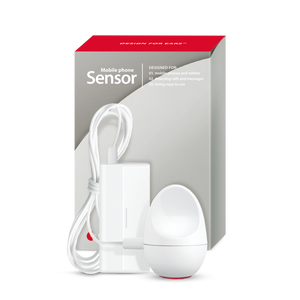
For households that want to extend alerts to mobile phone calls and notifications - not just the landline - the Bellman Mobile Phone Sensor is a compatible accessory that detects when a cell phone or tablet screen lights up from an incoming call or notification, and sends a trigger signal to the Telephone Transmitter via its accessory input port. This extends the same wrist vibration and app alert system to mobile calls, adding a layer of notification for any smartphone in the household beyond what the Bellman Assistant app already handles natively through the Bridge.
Whole-Home Coverage: The Watch and App Working Together
The most important feature of the Bellman Phone System with Bluetooth Bridge and Watch Receiver is not the transmitter or the Bridge - it is the fact that the alert follows you rather than staying fixed to a room. Here is what that means in practice across a typical day at home.
The Watch Receiver - Wrist Alerts Wherever You Go
The Bellman Watch Receiver vibrates with a phone icon the moment the Bridge relays the Telephone Transmitter's signal. With up to 650 feet of open-field Bluetooth range between the Bridge and the Watch, coverage extends through all rooms of the home, into the yard, and into the garage - wherever you are wearing the Watch. The Watch displays distinct icons for each alert type, so a phone call vibration looks different from a doorbell vibration or a smoke alarm vibration. You always know what triggered the alert without needing to check a screen or walk toward a receiver.
The Watch has up to one week of battery life per charge and charges in approximately two hours - making it a practical everyday wearable, not a device you have to remember to charge constantly. During the brief overnight charging window, the Bridge's direct Bluetooth connection to the Bellman Assistant app on your smartphone provides coverage, so no alert window is unprotected.
The Bellman Assistant App - Simultaneous Smartphone Notification
The free Bellman Assistant app (available on iOS 15+ and Android 8.0+) pairs to the Bridge via Bluetooth and receives the same phone ring alert simultaneously with the Watch. When an incoming call arrives, your wrist vibrates, and your phone shows a notification at the same moment - two independent confirmation channels. This dual-channel design means that if you happen to have the Watch off your wrist for any reason, the phone catches the alert. If your phone is across the room, the Watch catches it. Both channels together are more reliable than either one alone.
The app does not require Wi-Fi or cellular data to receive alerts from the Bridge - it communicates directly over Bluetooth. This is an important distinction: even if your internet goes down, even if you are in an area with a poor cellular signal, the Bellman Assistant app continues receiving Bridge alerts through its direct Bluetooth connection. For a deeper explanation of why this offline approach is more reliable than internet-dependent alternatives, see our guide on no-Wi-Fi hearing alert systems.
Icon: A clear phone handset icon appears on the Watch Receiver screen the moment a call arrives - distinct from the doorbell icon, smoke alarm icon, and baby monitor icon, so you always know immediately what type of alert has fired.
Vibration pattern: The phone ring alert uses a distinct vibration pattern, different from other alert types - even without looking at the screen, you can learn to distinguish a call vibration from a doorbell vibration by feel alone.
Duration: The Watch continues alerting for the duration of the incoming ring - not just a single pulse - giving you time to respond even if you are in the middle of an activity when the call arrives.
Phone Alert System Options Compared
Several technologies exist for catching phone calls with hearing loss. Understanding what each one actually delivers - and where each one falls short - makes it much easier to choose the right setup for your household and lifestyle.
| Approach | How It Works / Key Limitation | Bellman Phone Alert System |
|---|---|---|
| Amplified phone ringer | Makes the ring louder - still sound-based; misses callers if you are in another room or in noisy environments | Electrical detection + wrist vibration reaches you in any room, regardless of ambient noise or ringer volume |
| Lamp flasher receiver | Visual alert in one fixed room - requires you to be in that room and looking at the lamp when the call arrives | Watch Receiver covers whole home and yard; alert travels with you - no fixed location required |
| TTY / text telephone | Two-way text communication for calls - requires the other party to also have TTY equipment; limited caller compatibility in 2026 | Notifies you of any incoming call from any caller - no special equipment needed on the caller's end |
| Captioned telephone (CapTel) | Real-time captions of voice calls - improves call accessibility once connected, but does not help with missing the ring | Complementary, not competing - use the Bellman system to catch the call, CapTel to improve the conversation once connected |
| Smartphone call notification only | App notifications for mobile calls - misses landline calls; depends on phone being in hand or nearby; no wrist vibration channel | Landline detection via RJ11 + wrist vibration + simultaneous app notification - covers both landline and mobile call awareness |
| Wi-Fi smart home integration | Cloud-based call notification - fails during internet outages; adds subscription costs; no wrist vibration channel | Direct Bluetooth - no internet dependency, no subscription, no failure during outages; wrist vibration is the primary channel |
Real Scenarios: How the System Performs When It Matters
Specification comparisons are useful. What actually matters is how the system handles the situations that come up in a real day at home - the scenarios where missing a call has a meaningful consequence.
Scenario: Doctor's Office Call While Working in the Yard
You are in the backyard. The Telephone Transmitter detects the incoming ring voltage on the landline the moment the call arrives. The Bridge relays via Bluetooth. The Watch on your wrist vibrates with the phone icon - 80 feet from the house, well within the 650-foot range. You see the icon, walk inside, and answer before the automated system disconnects. Without the Watch, you would have checked your phone ten minutes later and found a missed call with no callback option.
Scenario: Important Call During a Shower
You are in the bathroom with hearing aids on the counter and water running. The Watch, placed on the bathroom shelf, vibrates with the phone icon. The Bellman Assistant app on your phone - also on the counter - shows the notification simultaneously. You have two chances to notice the call even in a high-noise, no-hearing-aid environment. You step out of the shower in time to call back before the person hangs up.
Scenario: Medical Appointment Reminder Call
Automated appointment reminder systems often call once and do not call back or leave voicemails. You are in the kitchen with the dishwasher running. The Watch vibrates with the phone icon. You dry your hands, walk to the phone, and answer - catching a call that would otherwise have been a missed appointment and a rescheduling fee.
Scenario: Emergency Call from a Family Member
A family member is trying to reach you urgently on the landline. You are in the basement. The Bridge, located centrally on the main floor, relays the signal via Bluetooth. The Watch vibrates. The app shows a notification. You feel it through the floor vibrations of the Watch even before you consciously process what is happening, and you are upstairs and on the phone within a minute.
Phone Alerting as Assistive Technology: Where It Fits
The term "assistive listening devices" (ALDs) covers a wide range of technologies designed to help deaf and hard-of-hearing people access audio information that would otherwise be inaccessible. Phone alert systems are one specific category of ALD - focused not on improving the quality of what you hear during a conversation, but on ensuring you know a call has arrived in the first place.
This distinction matters because many people assume that an amplified phone or a hearing aid program designed for phone use is sufficient. These tools improve call accessibility during the conversation. They do not help with the step before - actually catching the call before it rings out. A phone alert system addresses that specific gap: the moment between a caller dialing and you answering.
For people with mild to moderate hearing loss who still use the phone for conversations, the Bellman Phone System works alongside their existing phone setup and hearing aids - not as a replacement for any of them. For people with severe or profound hearing loss who primarily use relay services, video relay, or text-based communication, the phone alert system ensures they are notified of incoming landline attempts even when they cannot engage with the audio content of the call directly.
- Electrical line detection - not sound-based; fires reliably regardless of ringer volume or ambient noise
- Wearable receiver option - wrist vibration, not just a fixed room lamp flasher
- Simultaneous smartphone app notification alongside wrist alert
- Compatible with your phone service type - confirm VoIP and fiber lines maintain standard RJ11 ring voltage
- No Wi-Fi requirement - Bluetooth-only signal chain for reliability during internet outages
- Accessory input ports - 2.5 mm and 3.5 mm for NOAA weather radio and contact mat integration
- Expandable to other alert types - same Bridge and Watch handle doorbell, smoke, baby, and push button
- Long transmitter battery life - alkaline AA batteries lasting approximately five years
Phone Alerts as Part of a Whole-Home Alerting System
The Phone System with Bluetooth Bridge and Watch Receiver is a complete, self-contained kit out of the box - but it is also designed to be the starting point for, or a component of, a full, whole-home alerting system that grows with your needs.
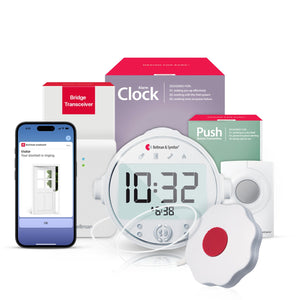
The same Bridge and Watch Receiver that alerts you to incoming phone calls can simultaneously receive signals from a Doorbell Transmitter, a Smoke Alarm Transmitter, a Baby Monitor Transmitter, and a Push Button Transmitter. Each alert type produces a distinct vibration pattern and a distinct icon on the Watch, so you always know which event has triggered without checking a separate device. One Bridge. One Watch. Every alert type in your home covered through one consistent notification experience.
- Add doorbell coverage: A Door Transmitter plus the same Bridge and Watch gives you a doorbell icon vibration whenever a visitor arrives - no extra receiver or pairing required. For a deep look at doorbell alert options, see our guide on Bluetooth doorbell alerts for deaf people.
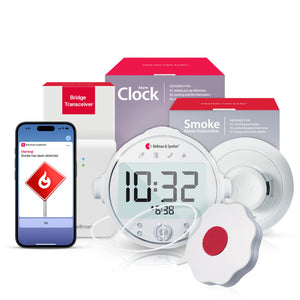
- Add smoke and fire safety: A Smoke Alarm Transmitter routes through the same Bridge for an urgent wrist vibration when smoke is detected during the day. For overnight coverage, the Bridge + Smoke + Alarm Clock bundle adds an Alarm Clock Receiver and bed shaker for deep-sleep alerting. See our full guide on Bluetooth smoke alarms for hearing impaired people.
- Add baby monitoring: For parents, a Baby Monitor Transmitter in the nursery sends a baby icon wrist vibration the moment the baby stirs - the same Bridge handles this alongside phone and doorbell alerts simultaneously. See our guide on baby monitors for deaf parents.
- Add a push button: A Push Button Transmitter worn on a lanyard lets a family member or caregiver send a direct wrist alert - useful in caregiving situations where a partner or parent needs to reach you urgently. The Bridge + Push + Alarm Clock bundle extends overnight coverage for this alert type.
For a complete overview of how all these alert types fit together into a unified whole-home system, see The Complete Guide to Bluetooth Alerting Systems for Deaf & Hard of Hearing People.
Confirm Every Step Before Trusting the System
An untested connection is an unreliable one. Work through each item after setup to confirm the full signal chain is working.
- Telephone Transmitter connected via RJ11 to landline wall jack
- Existing phone still plugged in alongside transmitter - calls can still be answered normally
- Bridge plugged in centrally - signal reach from transmitter confirmed
- Watch Receiver paired to Bridge - phone icon confirmed on test call
- Bellman Assistant app installed and paired - phone notification confirmed on test call
- Test from every main room in the home - kitchen, bedroom, bathroom, basement
- Test from yard or garage - confirm 650 ft Bluetooth range is sufficient for your layout
- App notifications enabled in iOS/Android settings - silent or Do Not Disturb modes checked
- VoIP / fiber compatibility confirmed if applicable - ring voltage test call placed
- NOAA weather radio or accessory inputs connected and tested if used
Never miss a landline call again - wherever you are at home.
The Bellman Phone System with Bluetooth Bridge and Watch Receiver alerts your wrist the moment your phone rings - electrical detection, no Wi-Fi, no subscription, whole-home coverage.
Sources and references: Bellman & Symfon - Phone System with Bluetooth Bridge and Watch Receiver product specifications (us.bellman.com/products/phone-system-with-bluetooth-bridge-and-watch-receiver) · Bellman & Symfon - Telephone Transmitter: RJ11 landline input, 2.5 mm and 3.5 mm accessory input ports, 2xAA alkaline battery life ~5 years / lithium ~10 years, 433 MHz wireless transmission, electrical ring voltage detection · Bellman & Symfon - Bluetooth Watch Receiver: up to 1 week battery life, 650 ft Bluetooth range (open field), phone call icon and distinct vibration pattern, approximately 2-hour charge time · Bellman & Symfon - Bluetooth Bridge Transceiver: 433 MHz RF input, Bluetooth 5 output, no Wi-Fi required, RJ11 telephone input for direct landline connection · Bellman & Symfon - Bellman Assistant App: free for iOS 15+ and Android 8.0+, receives all alert types via Bluetooth from Bridge, no internet required for local Bluetooth alerts · Bellman & Symfon - Mobile Phone Sensor product description: detects cell phone and tablet screen activity for integration with Telephone Transmitter accessory input (us.bellman.com/products/mobile-phone-sensor) · Bellman & Symfon - Phone System with Flash Receiver and Bed Shaker: Telephone Transmitter with color-coded LED receiver, bright flash, and bed shaker for mobile and landline call notification · Federal Communications Commission - Telecommunications relay services and captioned telephone information for deaf and hard of hearing consumers.
This article is for informational purposes only. Product specifications are subject to change; refer to current product pages at us.bellman.com for the most up-to-date technical details.

Landline Phone Alert System for Deaf People: Never Miss a Call Again
This guide breaks down the practical choices, features, and considerations behind this topic. Use it to identify a setup that fits the listener, the environment, and the everyday moments that matter most.
The featured products below are current Bellman options discussed in the article or closely matched to its use case.