Best Wearable Alert Devices for Deaf & Hard of Hearing People (2026)

From vibrating wristbands to smartwatch receivers, this is the complete guide to wearable alerting - what the technology actually does, which devices work best for which situations, and how to build a system that keeps you aware around the clock.
- Why wearable alerts matter - and who needs them
- How wearable alert devices work
- Types of wearable alert devices explained
- The Bellman Watch Receiver: dedicated wearable alerting done right
- Smartwatch alerts for hearing loss: what they can and can't do
- How to choose the right wearable alert device
- Building a 24-hour alerting system: day and night
- Wearable alert devices vs. phone apps: an honest comparison
- Wearable alerts at school, work, and in public
- Setting up your wearable alert system: what to expect
- Your next steps
Wearable alert devices for deaf and hard-of-hearing people translate sounds - doorbells, smoke alarms, phone calls, baby monitors - into tactile vibrations or visual signals delivered directly to your body. The best options in 2026 include dedicated vibrating wristband receivers like the Bellman Watch Receiver, which pairs with the Bellman & Symfon alerting system to deliver customised vibration alerts for every sensor in your home, and smartwatch-based notifications for supplemental daytime awareness. A complete system pairs a wearable receiver for daytime use with a bed shaker for nighttime alerts - ensuring no critical signal is ever missed, regardless of time of day or hearing device status.
Why Wearable Alerts Matter - and Who Needs Them
There is a gap in almost every deaf or hard-of-hearing person's alerting setup - and it appears the moment they step away from a fixed receiver, remove their hearing aids, or move into a room where a flashing strobe isn't visible. That gap is exactly what wearable alert devices are designed to close.
A wearable alerting device is any technology worn on the body that delivers an alert - most commonly through vibration - when a specific auditory event occurs. Doorbells, smoke and carbon monoxide alarms, baby monitors, phone calls, alarm clocks, and alarm clock alerts are the most common triggers. Rather than requiring you to be in a specific room or facing a specific direction, a wearable receiver travels with you, delivering the alert wherever you are.
For the deaf and hard of hearing community, this matters in ways that go beyond convenience. The National Institute on Aging specifically identifies alerting devices as a critical category of assistive technology for people with hearing loss - noting that standard safety devices like smoke alarms and doorbells often operate in frequency ranges that are among the first to deteriorate in age-related and noise-induced hearing loss. Without a wearable or visual alert system, a missed alarm is not an inconvenience. It is a safety risk.
The people who benefit most from wearable alert technology include:
- Adults with moderate to profound hearing loss who cannot reliably detect audio alerts even with hearing aids
- Anyone who removes hearing aids or cochlear implant processors at night, which is most wearers
- Deaf parents of young children who need to detect a baby monitor or child's cry from any room
- People living alone who cannot rely on a household member to relay alerts
- Older adults managing multiple home safety sensors (smoke, CO, doorbell) who need a unified alerting solution
- Anyone working in environments where visual-only alerts may be missed and phone notifications are impractical
This guide covers every major type of wearable alert device available in 2026, explains how each works, and gives you the framework to build the right system for your daily life - including the only device in this category built specifically for the task: the Bellman Watch Receiver.
How Wearable Alert Devices Work
The core principle of wearable alert technology is signal conversion: taking an auditory event and converting it into a tactile or visual signal that can be perceived without hearing. Most systems operate in three stages.
Stage 1: Detection
The alerting system needs to know that an event has occurred. This happens through dedicated transmitters - sensors placed at or near the source of the sound. A doorbell transmitter connects to (or replaces) your doorbell. A smoke alarm transmitter connects to your existing detector or replaces it. A telephone transmitter detects when your phone rings. Some systems use a microphone-based transmitter that listens for any loud sound in a room, making it adaptable to multiple sources. In the Bellman & Symfon system, each transmitter is designed for a specific signal type, which allows the receiver to distinguish between alerts.
Stage 2: Transmission
Once an event is detected, the transmitter sends a wireless signal - typically via radio frequency (RF) - to one or more receivers. RF is preferred over Bluetooth for home alerting systems because it has a significantly longer range (often 100–300 metres in open space), passes through walls and floors, and does not require the transmitter and receiver to be paired within close proximity. This matters when you are in a different room from the sensor that triggered.
Stage 3: Alert Delivery
The receiver - which can be a wristband, watch-style wearable, bed shaker, or fixed unit with a flashing strobe - converts the incoming wireless signal into a perceivable alert. Vibration is the primary modality for wearable devices. Advanced systems use distinct vibration patterns to indicate which specific sensor triggered the alert, so you can tell the difference between a doorbell and a smoke alarm without looking at a display.
Bluetooth has a practical indoor range of around 10 metres and is designed for point-to-point pairing between two devices. RF home alerting systems operate at dedicated frequencies (commonly 433 MHz or 868 MHz) with far greater range and penetration through building materials. For a whole-home alerting system where transmitters may be on different floors, RF is the correct transmission technology. Bluetooth is useful for direct device-to-device pairing - such as connecting a smartphone to a receiver - but should not be the backbone of a safety alerting system.
Types of Wearable Alert Devices Explained
Not all wearable alert devices are the same. The category encompasses several distinct approaches, each with different strengths and appropriate use cases. Understanding the differences is the first step toward choosing correctly.
Dedicated Vibrating Wristband Receivers
Purpose-built devices designed specifically for hearing loss alerting. Worn on the wrist like a watch, they pair with a home alerting system and receive RF signals from any connected transmitter. Vibration patterns identify which sensor triggered. No smartphone required. The Bellman Watch Receiver is the leading example in this category.
Smartwatch Notifications
Apple Watch, Samsung Galaxy Watch, and similar devices can deliver wrist vibrations for smartphone app notifications, including some hearing-related apps. Useful as a supplemental daytime tool for calls and messages, but dependent on smartphone connectivity, app compatibility, and Bluetooth range - limiting their reliability as a standalone safety alerting system.
Vibrating Pager-Style Receivers
Older-generation wearable receivers that use a simpler pager-style design. Reliable for basic single-sensor alerting but typically lack the pattern differentiation and multi-sensor capability of modern wristband systems. Less common in new installations but still in use in some household and workplace settings.
Visual Alert Wearables
Some wearable devices supplement vibration with a flashing LED indicator visible on the wrist or worn on clothing. Useful in environments where vibration alone might be missed - such as during physical activity or when the wrist is occupied - but less practical in low-light or social situations where a flashing light is intrusive.
For most people, building a serious home alerting system, a dedicated RF-based vibrating wristband receiver - paired with a bed shaker for overnight coverage - is the combination that covers the full 24-hour day most reliably. Smartwatch notifications are a useful addition for daytime awareness but should not be the primary layer of a safety alerting system.
The Bellman Watch Receiver: Dedicated Wearable Alerting Done Right
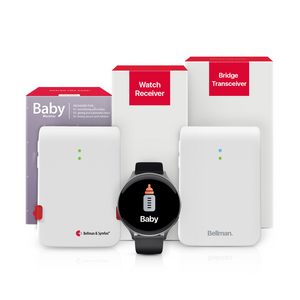
The Bellman Watch Receiver is the wearable component of the Bellman & Symfon home alerting system - and the only device in the Bellman range designed specifically to be worn on the body throughout the day. Unlike smartwatches or general-purpose wearables adapted for hearing loss use, the Watch Receiver was built from the ground up for one purpose: ensuring that a deaf or hard of hearing person never misses a critical alert, regardless of where they are in the home.
What it does
Worn comfortably on the wrist, the Bellman Watch Receiver receives RF signals from any Bellman transmitter connected to the same system. When a transmitter triggers - doorbell pressed, smoke alarm activated, phone ringing, baby monitor detecting sound - the Watch Receiver responds immediately with a strong vibration alert. Critically, the device uses distinct vibration patterns for different alert types, meaning you can identify at a glance whether you need to answer the door, check on a child, or respond to an emergency - without needing to look at a display or run to a fixed receiver.
What it connects to
The Watch Receiver is designed as part of the Bellman & Symfon alerting ecosystem. Compatible transmitters include:
- Door and push-button transmitter - signals when your doorbell or a push button is pressed
- Smoke and CO alarm transmitter - connects to your existing smoke or carbon monoxide detector
- Baby cry transmitter - detects infant crying via a room microphone
- Telephone transmitter - signals when your landline or DECT phone rings
- Alarm clock transmitter - connects to your existing alarm clock to relay morning alerts
The Bellman Watch Receiver is a daytime add-on to a Bellman alerting bundle - it is not a standalone system. The Bellman & Symfon alerting bundles (which include the Bluetooth Bridge + selected transmitters for door, smoke, baby, and push-button alerts) form the core of the system. The Watch Receiver receives signals from those transmitters and delivers them to your wrist during the day. For nighttime coverage, the Bellman Alarm Clock with bed shaker handles overnight alerting when the Watch Receiver is not being worn. The two work together to cover the full 24-hour day.
Why it outperforms general-purpose alternatives
Smartwatches and general notification apps require a smartphone to be within Bluetooth range, a reliable internet connection, and compatible apps for every transmitter source. They are designed for a general population and adapted - imperfectly - for hearing loss alerting. The Bellman Watch Receiver requires none of that infrastructure. It communicates directly via RF with dedicated transmitters, operates independently of Wi-Fi and smartphones, and is designed to function in the specific daily context of a deaf or hard of hearing person: reliable, low-complexity, and built for the job.
A wearable alert device that depends on your phone being nearby and your app being up to date is not a safety device. It is a convenience feature. For critical home alerts, dedicated RF-based receivers are the right tool.
Bellman & Symfon Design PhilosophyTo go deeper on the Watch Receiver - including full setup instructions, pairing steps, and a detailed product review - see our dedicated guide: Bellman Watch Receiver: Full Review and Setup Guide.
Smartwatch Alerts for Hearing Loss: What They Can and Can't Do
Smartwatches have become a meaningful supplemental tool for many deaf and hard-of-hearing people - particularly for managing incoming calls, text messages, and app notifications during the day. Understanding where they genuinely help and where their limitations create gaps is essential before deciding how they fit into an alerting strategy.
Where smartwatches genuinely help
For mobile and digital communication awareness, smartwatches offer real value. When your iPhone or Android phone receives a call, text, or app notification, a paired Apple Watch or Galaxy Watch vibrates on your wrist - giving you awareness of incoming communication without needing to keep your phone visible at all times. This is particularly useful in noisy environments like offices or public spaces, where a ringing phone is easy to miss even for hearing people. Some apps also use smartwatch vibrations to relay specific notifications from hearing-related apps.
Where smartwatches fall short for safety alerting
The core limitation of smartwatch-based alerting is its dependence chain. A smartwatch alert reaches your wrist only if: your smartphone is within Bluetooth range (typically 10 metres), the relevant app is installed and actively running on the phone, the phone has a reliable internet connection, and the sensor or trigger has a compatible app integration. That is four dependencies - any one of which can break the chain. In contrast, a dedicated RF receiver paired with a doorbell transmitter has one dependency: the transmitter activating and the receiver being within RF range, which in practice means anywhere in or around the home.
The practical recommendation: use a smartwatch as a daytime supplement for call and message awareness if you already own one, but do not rely on it as the primary layer of your home safety alerting system. For a dedicated deep-dive on how smartwatch alerts work for people with hearing loss, see: How Smartwatch Alerts Work for People with Hearing Loss.
How to Choose the Right Wearable Alert Device
The right wearable alert device depends on three things: the alerts you need to receive, where and when you need to receive them, and the infrastructure you are building around them. Here is a practical framework for making the decision.
Step 1: Identify your alert needs
Start by listing every auditory alert in your home that you currently miss or are at risk of missing. For most people, this includes at least: the doorbell, smoke and carbon monoxide alarms, and a telephone or video call. If you are a parent of a young child, add a baby monitor. If you use an alarm clock, add that. The more complete your list, the more clearly you can evaluate whether a given device connects to all your needed transmitters.
Step 2: Consider your daily routine and wearing habits
A wearable alert device only works if you are wearing it. Think realistically about when you would and would not have a wristband device on. During the day, while moving around the house, cooking, working, or doing chores, a wristband receiver is practical and comfortable. At night, most people prefer not to sleep with a wristband; this is where a bed shaker (placed under the mattress or pillow) becomes the nighttime complement. Choosing a system that handles both contexts - a wearable for day, a bed shaker for night - is the standard recommendation for comprehensive 24-hour coverage.
Step 3: Evaluate the system, not just the device
A wristband receiver is only as useful as the transmitters it connects to. When evaluating any wearable alert product, ask: what transmitters are compatible? How many can I connect at once? Can I add sensors over time as my needs change? The Bellman & Symfon system is designed for expandability - additional transmitters can be added to an existing system without replacing the receiver, making it a long-term investment rather than a fixed configuration.
Use this before you buy
Confirm each point for any device you are considering.
- Covers all the alert types I need (doorbell, smoke, phone, baby monitor, alarm clock)
- RF-based transmission for full-home range (not Bluetooth-only)
- Does not require smartphone or internet connection to function
- Distinct vibration patterns to identify which alert triggered
- Compatible with a bed shaker for nighttime coverage
- Expandable - I can add transmitters without replacing the receiver
- Comfortable enough for all-day wear
- Battery life sufficient for a full day between charges
- Clear setup and pairing process - no specialist required
- Made by a brand with demonstrated commitment to the deaf and hard of hearing community
Building a 24-Hour Alerting System: Day and Night
No single device covers every context of daily life. A complete alerting system for a deaf or hard-of-hearing person is a layered system - different devices working in parallel to ensure that no critical alert is ever missed, regardless of time, location, or hearing device status. Building that system requires thinking in two distinct phases: daytime and nighttime.
Daytime: The wearable layer
During waking hours, when you are mobile and moving throughout the home, a vibrating wristband receiver is the primary wearable layer. The Bellman Watch Receiver worn on the wrist covers you in any room, whether you are cooking, gardening, doing laundry, or working in a home office. Fixed receivers with strobe lights in individual rooms provide a secondary visual layer - particularly useful in rooms where you spend extended time and where a wrist alert might be felt but needs additional confirmation.
Nighttime: The bed shaker layer
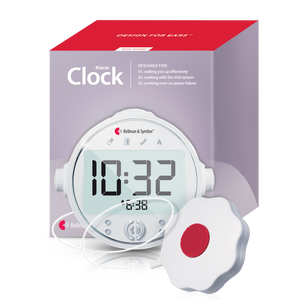
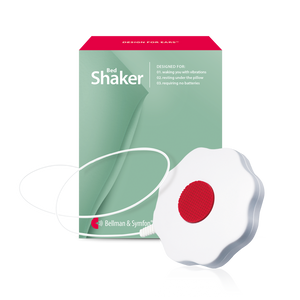
At night, hearing aids are typically removed. The Watch Receiver may be charging or set aside. This is the highest-risk window for missed safety alerts. The correct nighttime solution is a bed shaker - a vibrating pad placed under the mattress or pillow that delivers a powerful tactile alert strong enough to wake most sleepers. The Bellman Alarm Clock with integrated bed shaker is designed specifically for this purpose, connecting to the same transmitter system to relay nighttime smoke alarm, CO detector, and doorbell alerts while you sleep.
- Bellman Bluetooth Bridge - connects the system and routes alerts to all receivers
- Smoke / CO alarm transmitter - safety-critical, non-negotiable sensor
- Door and push-button transmitter - doorbell and entrance awareness
- Baby cry transmitter - for parents with infants or young children
- Telephone transmitter - incoming call awareness
- Bellman Watch Receiver - daytime wearable layer (add-on)
- Bellman Alarm Clock with bed shaker - nighttime coverage layer
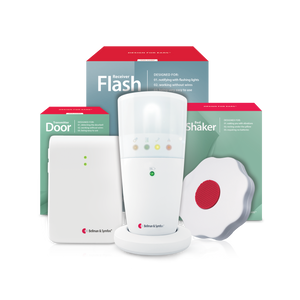
- Fixed flash receivers (room-based) - secondary visual alerts in key rooms
For a full breakdown of how daytime and nighttime alerting work together - and how to calibrate a system for both - see our dedicated guide: Daytime vs Nighttime Alerting: Building a 24-Hour System.
Wearable Alert Devices vs. Phone Apps: An Honest Comparison
As smartphones have become more capable, a number of apps have emerged that claim to provide alerting functionality for deaf and hard-of-hearing users - detecting sounds via the phone microphone, analysing them with AI, and sending push notifications or vibrations when a matching sound is identified. It is worth understanding both what these apps genuinely offer and where their structural limitations mean they should not be the backbone of a safety alerting system.
What phone apps do well
Sound recognition apps - including features built into iOS (Sound Recognition) and Android (Sound Notifications via Accessibility) - have become meaningfully accurate at detecting specific environmental sounds. They can alert you to sounds like smoke alarms, doorbells, dogs barking, and crying babies using the microphone of a phone placed in the room. For someone who already has a smartphone and is looking for a zero-cost supplemental awareness tool, these features are worth enabling. Google's Live Transcribe provides real-time speech-to-text captioning, which is valuable for in-person communication awareness. Neither of these replaces dedicated hardware, but both are useful additions to a broader toolkit.
Why phone apps should not be your primary safety layer
Phone-based sound detection has three fundamental limitations that matter for safety alerting. First, the phone must be in the same room as the sound to detect it - a smoke alarm on the ground floor will not reliably be detected by a phone upstairs. Second, microphone-based detection is susceptible to false positives and false negatives; background noise from a TV, fan, or open window reduces accuracy. Third, the alert delivery chain is long: detection → processing → app → phone notification → wearable vibration, with failure possible at any point. A dedicated RF transmitter connected directly to your smoke alarm has none of these vulnerabilities.
For a comprehensive side-by-side analysis across every scenario - home, mobile, nighttime, workplace - see: Wearable Alert Devices vs. Phone Apps: What Actually Works.
Wearable Alerts at School, Work, and in Public
The home is the environment where dedicated wearable alert systems deliver the clearest benefit - but the need for discreet, reliable alerting extends into workplaces, educational settings, and public spaces. This is a distinct and more complex challenge because it involves social visibility, device portability, and situations where dedicated RF transmitters are typically not installed.
In the workplace
Professional settings create specific alerting demands: awareness of incoming calls on desk phones, meeting or conference alerts, emergency evacuation alarms, and the ability to follow conversations and notifications without drawing attention to a hearing loss. A vibrating wristband receiver is inherently discreet - the vibration is felt, not heard, and the device is no more visible than a conventional watch. For phone alerting in an office, a telephone transmitter connected to a desk phone can relay ring signals directly to a wristband receiver. Emergency building alarms in many workplaces are now legally required to include visual/strobe components; check with your employer's facilities team about existing provisions and what supplemental alerting is available.
In educational settings
For students with hearing loss, alerting technology intersects with FM system and hearing loop infrastructure that many schools and universities provide for classroom listening. For general awareness - school bell alerts, fire drills, teacher notifications - some schools use dedicated pager or wristband systems. For students managing their own alerting setup, a wristband receiver paired with a phone transmitter and carried FM transmitter provides a reasonable degree of portable coverage. Accommodation requests through a disability services office are the appropriate formal route to access institutional alerting support.
In public spaces
In public environments - shops, restaurants, public transport, healthcare settings - the alerting challenge shifts from fixed-location sensors to personal awareness. Here, smartwatch notifications for phone calls and messages provide useful daytime awareness. Captioning apps (Live Transcribe, Microsoft Azure Captioning) support real-time speech awareness in conversation. For emergency situations in public, awareness of visual emergency signals - strobe lights in public buildings are increasingly standard - and maintaining situational awareness through visual cues are the practical strategies. A dedicated wearable receiver's RF transmitters are not typically deployable in public spaces; this is where smartwatch and app-based tools provide their most meaningful role as a supplemental layer.
For a complete guide to discreet wearable alert solutions for out-of-home environments, see: Best Discreet Alert Devices for School, Work & Public Places.
Setting Up Your Wearable Alert System: What to Expect
One of the practical advantages of purpose-built alerting systems like Bellman & Symfon is that setup is designed to be manageable without specialist technical knowledge. Here is what the process looks like in practice, from unboxing to fully operational system.
Step 1: Start with the Bluetooth Bridge and your first transmitter
The Bellman Bluetooth Bridge is the central hub of the alerting system. It connects to your home network and routes signals from transmitters to receivers. Set up the Bridge first, using the Bellman Assistant app on your smartphone. Once the Bridge is connected, add your first transmitter - the doorbell or smoke alarm transmitter is typically the highest priority first installation.
Step 2: Pair the Watch Receiver
The Watch Receiver pairs with the Bridge via the app. Once paired, it will receive RF signals from all transmitters connected to the same system. Test the pairing by pressing the transmitter button and confirming that the Watch Receiver vibrates correctly. This test also confirms the distinctive vibration pattern for that specific alert type.
Step 3: Add additional transmitters
Each additional transmitter - smoke alarm, baby monitor, telephone, alarm clock - is added through the same app-based pairing process. The system can typically accommodate multiple transmitters simultaneously, with each assigned a distinct alert pattern. The Bellman system is designed for multi-sensor operation from the outset; adding a new transmitter does not require reconfiguring existing paired devices.
Step 4: Configure nighttime coverage
Once daytime wearable alerting is operational, add the Bellman Alarm Clock with bed shaker for nighttime coverage. Place the bed shaker unit under the mattress or pillow. Configure it to receive the same transmitter signals as the Watch Receiver, ensuring that smoke alarms and doorbell alerts are relayed during the night, even when the Watch Receiver is set aside.
If the Watch Receiver misses alerts in certain areas of the home, the most common cause is RF signal range being reduced by thick concrete or masonry walls, or by the distance from transmitter to receiver being at the edge of the system's effective range. Solutions include repositioning transmitters to a more central location, ensuring the Bridge is placed in an open area rather than inside a cabinet, and using additional fixed receivers in rooms with range issues. The Bellman support team can advise on specific home layouts.
For the complete step-by-step pairing guide, including troubleshooting for specific transmitter types and range optimisation tips, see: How to Pair a Wearable Receiver with Your Alerting System.
Your Next Steps
Wearable alert technology has changed significantly in recent years. What was once a narrow category of basic pager-style vibrators is now a layered ecosystem of dedicated RF receivers, smartwatch integrations, and smartphone-based sound recognition - each with specific strengths, limitations, and appropriate roles in a comprehensive alerting strategy. The goal is not to find the single perfect device; it is to build a system that closes the alerting gaps in your specific daily life, from the moment you wake up to the moment you fall asleep.
The framework is straightforward: a dedicated wearable receiver for daytime mobility, a bed shaker for overnight coverage, the right transmitters for the alerts that matter most to you, and supplemental smartphone tools for communication awareness on the go. That combination - anchored by the Bellman Watch Receiver during the day and the Bellman Alarm Clock with bed shaker at night - represents the most reliable 24-hour alerting setup available for deaf and hard-of-hearing people in 2026.
Build your system step by step
Work through these in order - each step adds a layer of coverage.
- List every audio alert in your home you currently miss or are at risk of missing
- Start with the smoke and CO alarm transmitter - safety first, always
- Add a doorbell transmitter as the second priority
- Set up the Bluetooth Bridge and Bellman Assistant app
- Pair the Bellman Watch Receiver for daytime wearable coverage
- Add the Bellman Alarm Clock + bed shaker for nighttime coverage
- Add baby cry transmitter if you are a parent of a young child
- Add a telephone transmitter for landline or DECT phone awareness
- Enable Sound Recognition on your iPhone or Android as a supplemental layer
- Read the full guides in this cluster for deeper coverage of each topic
Ready to build your wearable alerting system?
Explore the Bellman Watch Receiver, the Bluetooth Bridge bundles, and the full range of transmitters - all designed to work together for complete 24-hour coverage.

Sources: World Health Organization (WHO) - Deafness and Hearing Loss Fact Sheet (March 2026) · National Institute on Deafness and Other Communication Disorders (NIDCD) - Hearing Loss Statistics; Age-Related Hearing Loss; Assistive Devices for People with Hearing, Voice, Speech, or Language Disorders · National Institute on Aging (NIA) - Hearing Loss: A Common Problem for Older Adults; Assistive Devices for Adults with Hearing Loss · Hearing Loss Association of America (HLAA) - Hearing Loss Facts and Statistics; Assistive Listening Devices · Centers for Disease Control and Prevention (CDC) - Hearing Loss in Adults; Types of Hearing Loss · JAMA Internal Medicine - Hearing Loss and Risk of Falls in Adults (Lin, 2012) · Apple Accessibility - Sound Recognition feature documentation · Google Android Accessibility - Sound Notifications documentation · Bellman & Symfon - Product Documentation: Bluetooth Bridge, Watch Receiver, Alarm Clock with Bed Shaker; Transmitter Range and Compatibility Specifications.
This article is for informational purposes only and does not constitute medical advice. Consult a licensed audiologist or healthcare provider for a personalised hearing evaluation and treatment recommendations.
More in This Series
How smartwatch alerts work for people with hearing loss
A detailed look at what smartwatches can and cannot do for hearing loss alerting - and where dedicated devices outperform them.
Bellman Watch Receiver: full review and setup guide
Everything you need to know about Bellman's dedicated wearable receiver - features, pairing steps, and real-world performance.
Vibrating wristbands vs bed shakers: which alert fits your day
Understand the difference between daytime wearable alerts and nighttime bed shaker alerts - and why you may need both.
Best discreet alert devices for school, work & public places
The best options for staying alert outside the home - covering workplace accommodations, school settings, and public environments.
Daytime vs nighttime alerting: building a 24-hour system
How to design a complete alerting system that covers you from morning to night - and why both layers are essential.
Wearable alert devices vs. phone apps: what actually works
A direct comparison of dedicated hardware and smartphone-based alerting - for every scenario from home safety to mobile use.
How to pair a wearable receiver with your alerting system
Step-by-step pairing instructions for the Bellman Watch Receiver and all compatible transmitters - with troubleshooting tips.
Best Wearable Alert Devices for Deaf & Hard of Hearing People (2026)
This guide breaks down the practical choices, features, and considerations behind this topic. Use it to identify a setup that fits the listener, the environment, and the everyday moments that matter most.
The featured products below are current Bellman options discussed in the article or closely matched to its use case.