Phone Alert System for Elderly with Hearing Loss: Landline & Cell Notification Options

A ringing phone is one of the easiest things for hearing loss to take away unnoticed - and one of the most consequential to miss. Here is how landline and cell phone alerting actually work, how they differ, and how to set up a system that catches every call.
A phone alert system for seniors with hearing loss replaces the ring tone with something they can actually perceive: a wrist vibration and a visual icon. The Bellman Phone System with Bluetooth Bridge and Watch Receiver covers landline calls through a Telephone Transmitter that detects the ring electrically at the phone jack, while the same Bluetooth Bridge also relays cell phone call notifications from a paired smartphone to the Bluetooth Watch Receiver - so whether the call is coming in on a landline, a cell phone, or both, the person wearing the Watch feels it and sees it the moment it happens.
Why a Ringing Phone Is One of the First Things Hearing Loss Takes Away
Long before most people with age-related hearing loss notice trouble in face-to-face conversation, they notice trouble on the phone. The National Institute on Aging lists difficulty understanding what people are saying over the telephone as one of the clearest early signs that a hearing problem is developing, and the Hearing Loss Association of America places phone calls among the first things a moderate hearing loss disrupts. By the time hearing loss is diagnosed, missed calls have often already become routine - not because anyone stopped calling, but because the ring itself stopped being heard.
That gap matters more than it might seem. According to the National Institute on Deafness and Other Communication Disorders, roughly one in three Americans between the ages of 65 and 74 has hearing loss, and nearly half of those over 75 have difficulty hearing. For a household in that range, every unanswered call is a small but real risk: a callback from a doctor's office that never gets returned, a family member who assumes the worst when nobody picks up, a home health aide who can't confirm a visit, or a missed callback after dialing for help. Hearing loss has also been linked by Johns Hopkins Medicine and the National Council on Aging to social isolation and withdrawal, and a phone that nobody can hear ring quietly accelerates exactly that isolation, one missed call at a time.
A phone alert system does not fix hearing loss. What it does is remove the phone from the list of things a person has to hear in order to stay connected, informed, and safe.
Landline or Cell Phone? Why the Distinction Changes Your Setup
Most articles about phone alerting talk about "the phone" as if it's one thing. For a hearing-loss alert system, it isn't. A landline call and a cell phone call reach the household through two completely different signals, which means they need two different paths to reach a wrist or an app - and understanding both is the key to building a setup that actually catches everything.
Seniors are, by a wide margin, the age group most likely to still have a landline. Multiple consumer telecom surveys place landline retention among adults 65 and older somewhere between 40% and 50%, even as the country overall has moved to being predominantly wireless-only. That single fact is why a phone alert system built only around smartphone notifications would leave a large share of the senior population without coverage on their primary phone line - and why the Bellman system was built to handle both paths through one Bridge.
Path 1 - Landline call: A call arrives on the home phone line → the Telephone Transmitter detects the ring voltage electrically at the phone jack → it sends a wireless signal to the Bluetooth Bridge → the Bridge relays it to the Watch and app over Bluetooth.
Path 2 - Cell phone call: A call arrives on a paired smartphone → the free Bellman Assistant app on that phone detects the incoming call → it sends the notification to the Bridge over Bluetooth → the Bridge relays it to the Watch Receiver and can forward it to other Bellman receivers in the home, such as a lamp flasher.
No single transmitter "listens" for both call types at once - the landline path needs the physical Telephone Transmitter wired into a phone jack, while the cell phone path needs the app installed and paired on the phone itself. A household that uses both a landline and a cell phone typically wants both paths active, which the Phone System with Bluetooth Bridge and Watch Receiver bundle is designed to support out of the box, since it already includes the Telephone Transmitter, the Bridge, and the Watch.
How Landline Phone Alerts Work, Step by Step
The landline path is the more mechanically interesting of the two, because it has to detect a ring without relying on sound at all, which matters in a quiet house or a back bedroom where an audible ringer might not carry.
Step 1 - The Telephone Transmitter Detects the Ring Electrically
The Telephone Transmitter connects to a standard RJ11 phone jack with an included cable, the same kind of jack a cordless phone base station or answering machine plugs into. When a call comes in, the telephone line carries a ring voltage signal - the same electrical pulse that would normally make a handset ring. The Transmitter detects that voltage directly, rather than listening for the audible ring with a microphone. This matters because electrical detection works even if the ringer volume on the phone itself is turned down, muted, or simply too quiet to hear from another room.
Step 2 - The Transmitter Signals the Bridge
Once the ring voltage is detected, the Telephone Transmitter sends a wireless 433 MHz radio signal to the Bluetooth Bridge, wherever it is plugged in within the home. This signal passes through walls and floors, so the Transmitter at the phone jack and the Bridge in another room can still communicate without a direct line of sight.
Step 3 - The Bridge Relays to the Watch and App
The Bridge converts the incoming signal to Bluetooth and sends it to the paired Watch Receiver and, if a smartphone is within range and the free Bellman Assistant app is paired, to that phone as well. The Watch vibrates with a phone-specific pattern and displays a phone icon, so the person wearing it knows immediately that the call is coming in on the home line - not the doorbell, not the smoke alarm, specifically the phone.
The Telephone Transmitter detects the ring voltage on the landline electrically and fires its RF signal to the Bridge - so the alert chain operates independently of whether the audible ringer can be heard at all.
Bellman & Symfon - Telephone Transmitter SpecificationsHow Cell Phone Call Alerts Work (No Extra Transmitter Needed)
Mobile phone alerting works differently, and in some ways more simply, because the smartphone itself already knows when a call is arriving - there's no separate hardware needed to detect it. Instead, the free Bellman Assistant app, once installed and paired with the Bluetooth Bridge, acts as the "transmitter" for cell phone calls. When a call rings on the paired phone, the app sends that event to the Bridge over Bluetooth, and the Bridge relays it onward to the Watch Receiver exactly the way it would relay a doorbell or landline signal.
This is useful for two overlapping situations: a senior who carries a cell phone as their primary or only phone, and a household that has both a landline and a cell phone and wants both covered through the same Watch. Because the cell phone alert depends on the app and a live Bluetooth connection to the Bridge, it works reliably at home - and the Watch Receiver itself, once paired, can also receive calls and notifications directly from a smartphone over its own Bluetooth connection in many configurations, extending coverage even further from the home.
What you get: A distinct vibration pattern and a phone icon the instant a call is ringing, on either the landline or a paired cell phone, so you know to check the phone.
What you don't get: Caller ID, the caller's name, voicemail transcripts, or the content of the call. The system tells you that your phone is ringing right now - you still look at the phone itself (or a captioned phone display, covered below) to see who's calling and decide whether to answer.
Other Phone Technology for Hearing Loss: How They Compare
A Bluetooth-based phone alert system is not the only assistive technology built around phone calls for people with hearing loss, and it solves a different problem than most of the alternatives. It's worth understanding where each option fits, because many households end up combining two of them rather than choosing just one.
| Technology | What It Actually Solves | Where It Falls Short |
|---|---|---|
| Bellman Phone Alert System | Tells you a call is ringing - wrist vibration + icon, anywhere in the home, via Bridge and Watch | Doesn't help you hear or understand the conversation once you answer; no caller ID display |
| Captioned Telephones (e.g., CapTel) | Displays real-time text of what the caller says during the conversation; free through an FCC-funded program for people with hearing loss | Doesn't alert you that a call is coming in if you're in another room - you still need to be near the phone to notice the ring |
| Amplified Phones | Boosts call volume, often 30–40 dB, for moderate hearing loss | Same room-bound limitation - if the ringer can't be heard, a louder handset doesn't help you notice the call |
| Visual Strobe Phone Signalers | A plug-in flasher tied to the phone line that flashes a light when it rings | Only visible in the same room as the unit; no wrist notification, no app, no whole-home coverage |
The practical takeaway: a captioned phone or amplified phone helps once you're already on the call, while the Bellman system's job is making sure you know to pick it up in the first place. Many people with moderate to severe hearing loss use a captioned telephone for the conversation itself and a Bridge-and-Watch system for the notification - the two are designed to solve different halves of the same problem rather than compete with each other.
Real-Life Scenarios: When This System Actually Matters
It's easy to think of a missed call as a minor inconvenience until it's the wrong call to miss. Here are the situations where phone alerting consistently makes a measurable difference for seniors and the families supporting them.
The Doctor's Office Calls Back
Test results, prescription confirmations, and appointment changes often arrive as a single callback with no second attempt. A missed call here can mean a delayed diagnosis or a missed treatment window - not just an inconvenience.
An Adult Child Checks In
Family members who can't reach an aging parent by phone often jump straight to worry. A Watch that catches the ring means the call gets answered the first time, before anyone has to drive over to check.
A Callback After Dialing for Help
If a call was placed to a clinic, a pharmacy, or an emergency line and they call back to confirm details, missing that return call can delay the very help that was requested.
Knowing a Call Is Coming Before You Answer
Older adults are disproportionately targeted by phone scams - the FBI's Internet Crime Complaint Center reported average losses of more than $38,000 per victim among older adults in 2025. Seeing that a call is incoming, rather than being startled by it, gives you a moment to glance at caller ID on the phone itself before deciding whether to pick up.
Landline, Cell Phone, or Both? How to Choose Your Setup
Because the two call types travel through different paths, the right starting configuration depends on which phone or phones are actually in the home.
One nuance worth flagging, honestly: ring voltage detection is designed around the kind of ring signal a traditional analog landline produces. Many VoIP services and digital phone adapters reproduce that same standard ring signal and work without issue, but not all of them do - if your "landline" actually runs through an internet-based phone adapter, it is worth testing the Telephone Transmitter with an incoming call during the return window rather than assuming compatibility.
Setting Up Your Phone Alert System: What It Actually Takes
Setup follows the same logic as the rest of the Bellman alerting system - plug in, place, pair, and test - and takes most households well under 20 minutes.
- Plug in the Bridge. Choose a central, powered location in the home - the Bridge needs mains power and works best away from the floor and away from other Bluetooth devices that might cause occasional interference.
- Connect the Telephone Transmitter. Plug it into an active RJ11 phone jack using the included cable. If a cordless base station already occupies that jack, use a simple phone-line splitter so both devices share the line.
- Pair the Watch Receiver to the Bridge. A short button-hold pairing sequence on each device links them - once paired, the Watch is ready to receive every alert type the Bridge handles, not just phone calls.
- Install and pair the Bellman Assistant app. Free on the App Store and Google Play. Pairing the app to the Bridge enables cell phone call relaying in addition to giving the smartphone its own notifications.
- Test with a real incoming call - not just the test button. Have someone call the landline and the cell phone from another phone and confirm the Watch vibrates with the phone icon for each. A button test confirms the Transmitter is powered; only a real call confirms the ring-voltage detection is actually working on your specific phone line.
Confirm Every Path Before You Call It Done
A phone alert system that's half-set-up still leaves calls missed - work through every item.
- Bridge plugged in, powered, and centrally located
- Telephone Transmitter connected to an active phone jack
- Watch Receiver paired and confirmed with a test signal
- Bellman Assistant app installed on the cell phone
- App paired to the Bridge for cell phone call relaying
- App notifications enabled in phone settings (not just installed)
- Landline tested with a real incoming call, not the test button
- Cell phone tested with a real incoming call while at home
- Phone icon on the Watch confirmed distinct from doorbell/smoke icons
- VoIP/digital line compatibility confirmed if applicable
Common Mistakes That Leave Seniors Still Missing Calls
- Relying on a visual strobe ringer alone, which only works in the same room as the unit
- Plugging the Transmitter into an unused jack instead of the one the active line actually runs through
- Testing only with the Transmitter's button, never with a real incoming call
- Leaving app notifications disabled in the smartphone's own settings after installing the app
- Assuming caller ID will show on the Watch when it does not
- Forgetting the Watch is charging overnight, leaving no phone-alert coverage while asleep
- Not telling family members the Watch needs to be worn (not left on a nightstand) to do its job
- Assuming a digital or VoIP "landline" will work without testing the ring-voltage detection first
Expert Tips for Reliable Phone Alerting
Place the Transmitter at the Jack, Not the Handset
The Telephone Transmitter detects voltage at the phone line itself, so it needs to be plugged into the jack - not simply set near the phone. If the active jack is hidden behind furniture, a short phone cable extension solves it without moving the Transmitter far from the wall point.
Pair a Caregiver's App Too
A family member can install the free Bellman Assistant app and, where supported, receive a copy of certain alerts when nearby - useful for a caregiver who wants visibility without needing to be the one wearing the Watch.
Re-Test After Any Phone Service Change
Switching phone providers, moving to a bundled internet-and-phone package, or replacing a cordless base station can change the ring signal. Re-run the real-call test any time the underlying phone service changes.
Combine With a Captioned Phone for the Conversation Itself
If understanding the call once answered is also a challenge, pairing this alert system with a free FCC-funded captioned telephone covers both halves of the problem - knowing the phone is ringing, and following what's said once it's answered.
Frequently Asked Questions
Does the phone alert system work with VoIP or digital landlines?
Often, yes - many VoIP adapters and digital phone services reproduce the same standard ring voltage a traditional landline uses, which the Telephone Transmitter detects the same way. Some digital services vary in how they generate that signal, though, so it's worth testing with a real incoming call rather than assuming compatibility, especially if the "landline" actually runs through an internet-based adapter.
Can the Watch show me who is calling?
No. The Watch shows a phone icon and a distinct vibration to tell you a call is ringing, but it does not display caller ID, the caller's name, or any call content. You'll still glance at the phone itself - or a captioned telephone display - to see who's calling.
Do I need a separate transmitter for my cell phone?
No. Cell phone calls are relayed through the free Bellman Assistant app once it's installed and paired with the Bluetooth Bridge - there is no separate hardware transmitter for mobile calls, since the smartphone itself already detects the incoming call.
Will it work with a cordless phone system?
Yes. Plug the Telephone Transmitter into the same active phone jack the cordless base station uses, using a phone-line splitter if needed. Ring voltage is present across the whole line, regardless of which jack the Transmitter or the base station occupies.
What if my house has multiple phone jacks or extensions?
One Telephone Transmitter is enough. Ring voltage is carried across the entire landline, not just one jack, so a single Transmitter plugged into any active jack will detect every incoming call on that line.
Does the Watch replace my smartphone's own notifications?
No, it complements them. The Watch and the smartphone app are designed to notify you simultaneously through the same Bridge - if you miss the wrist vibration, the phone notification is a backup, and vice versa.
What happens if I'm away from home or outside Bluetooth range?
The Bridge-to-Watch and Bridge-to-app connections work over Bluetooth, which is a short-range, in-home technology - the system is built primarily for whole-home coverage rather than remote, away-from-home monitoring. Landline call alerts in particular depend on being within range of the Bridge.
Can more than one family member receive the same phone alerts?
The Bellman Assistant app can be installed on more than one supported device, allowing additional family members or caregivers to also receive notifications when their phone is paired and in range - useful for shared awareness without requiring everyone to wear a Watch.
Building a Complete Home Alert System Around the Phone
Phone alerting is rarely the only thing a household needs once hearing loss enters the picture - it's usually one piece of a broader safety setup. The same Bridge and Watch that catch a phone call also catch a doorbell, a smoke alarm, or a push-button call for help, all through the identical wrist vibration and icon system. For the complete picture of how every component fits together, see our pillar guide, Home Safety Alert Systems for Seniors with Hearing Loss: Complete Guide (2026).
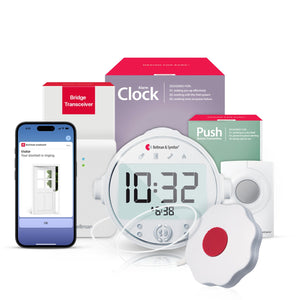
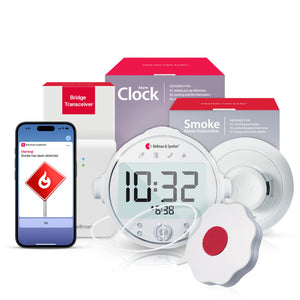
Because the Watch comes off the wrist to charge overnight, many households also want a layer that covers safety-critical alerts specifically while asleep. For fire and smoke safety at night, the Bridge + Smoke Alarm + Alarm Clock bundle adds 100 dB sound, flashing light, and a bed shaker - see our Smoke Alarm for Seniors with Hearing Loss guide for the full breakdown. For a senior who may need to call for help overnight rather than receive a call, the Bridge + Push Button + Alarm Clock bundle gives a caregiver or family member the same kind of immediate, vibrating notification this guide describes for incoming calls - just triggered by a button press instead of a ringing phone.
For households thinking through the full range of what a connected alert system should cover - door, phone, smoke, and beyond - our Aging in Place with Hearing Loss guide and Emergency Preparedness for Deaf and Hard of Hearing Seniors guide walk through how to layer every alert type into one coherent, silent safety net.
Never miss another call - landline or cell.
The Phone System with Bluetooth Bridge and Watch Receiver covers both call types out of the box, and pairs with every other Bellman alert type as your needs grow.
Sources and references: National Institute on Deafness and Other Communication Disorders (NIDCD) - Age-Related Hearing Loss (Presbycusis) fact sheet · National Institute on Aging - Hearing Loss: A Common Problem for Older Adults · Hearing Loss Association of America - Hearing Loss 101 · Johns Hopkins Medicine - The Hidden Risks of Hearing Loss · National Council on Aging - Can Hearing Loss Affect Mental Health in Older Adults? · Federal Communications Commission - Captioned Telephone Service (Telecommunications Relay Service) program information · Federal Bureau of Investigation, Internet Crime Complaint Center (IC3) - 2025 reporting on scams targeting older adult victims · Consumer telecom usage surveys on landline retention among U.S. adults aged 65 and older · Bellman & Symfon - Phone System with Bluetooth Bridge and Watch Receiver product specifications, including Telephone Transmitter, Bluetooth Bridge Transceiver, and Bluetooth Watch Receiver · Bellman & Symfon - Bellman Assistant App compatibility (iOS and Android).
This article is for informational purposes only and is not medical advice. Product specifications are subject to change; refer to the current product pages at us.bellman.com for the most up-to-date technical details.

Phone Alert System for Elderly with Hearing Loss: Landline & Cell Notification Options
This guide breaks down the practical choices, features, and considerations behind this topic. Use it to identify a setup that fits the listener, the environment, and the everyday moments that matter most.
The featured products below are current Bellman options discussed in the article or closely matched to its use case.